
After connecting the Dongle to the computer, you can download new firmware to the bike.
To do this:
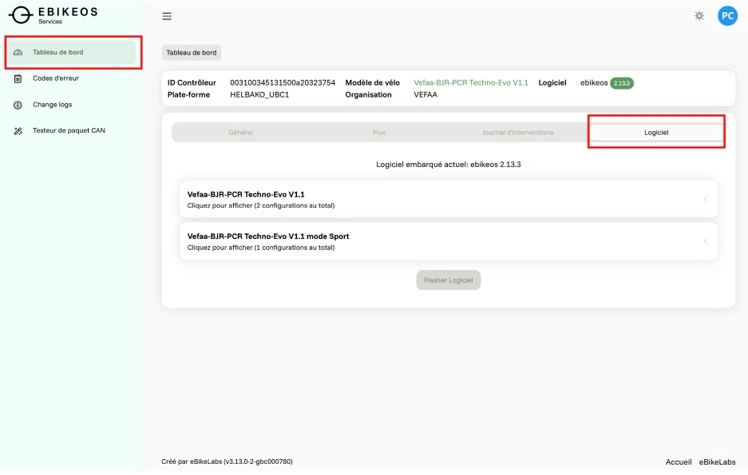
1) In the "Dashboard" tab, look to the far right and click on the "Software" tab.
2) Choose the desired firmware:
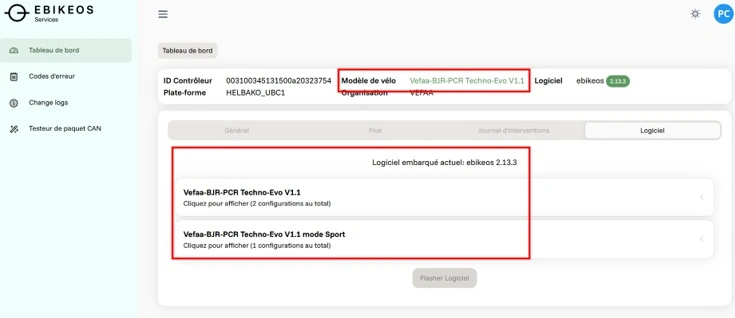
Select the "Vefaa-BJR-PCR Techno-Evo V1.1 mode Sport" software if the initial version is "Vefaa-BJR-PCR Techno-Evo V1.1".
Select the "Vefaa-BJR-PCR Techno-Evo Ananda V1.1 mode Sport" software if the initial version was "Vefaa-BJR-PCR Techno-Evo Ananda V1.1".
To find the initial version, look at the banner at the top of the tabs. The information is provided in the "Bike Model" field.
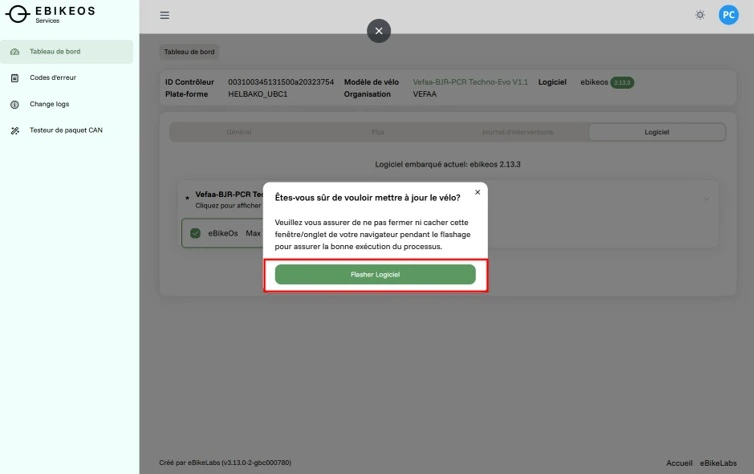
3) Click on "Flash software"
4) On the confirmation pop-up, click on "Flash software"
Warning: Make sure to keep the internet tab open while the firmware is downloading.
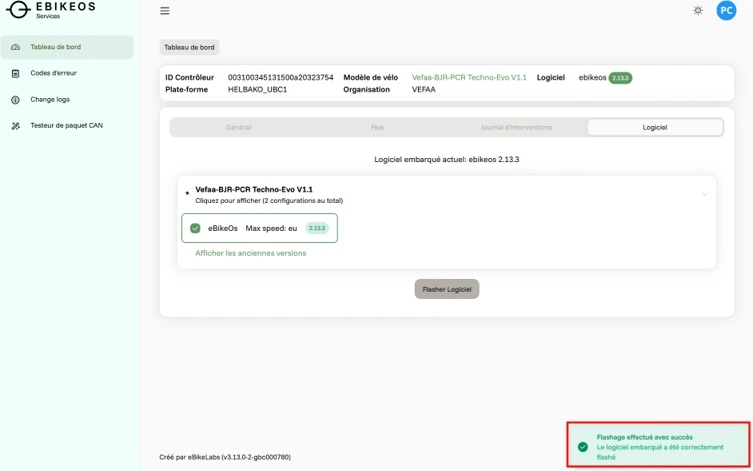
Once the operation is complete, the message "Flashing successful" will appear at the bottom right of your screen.
5) Disconnect the dongle from the bike
For your information: The "Sport" firmware is a program developed to provide more torque on the Eco and Drive levels. It is a highly useful firmware for environments with significant elevation changes. However, please note that this program consumes more energy, and consequently, the battery range will be reduced compared to the factory programming.